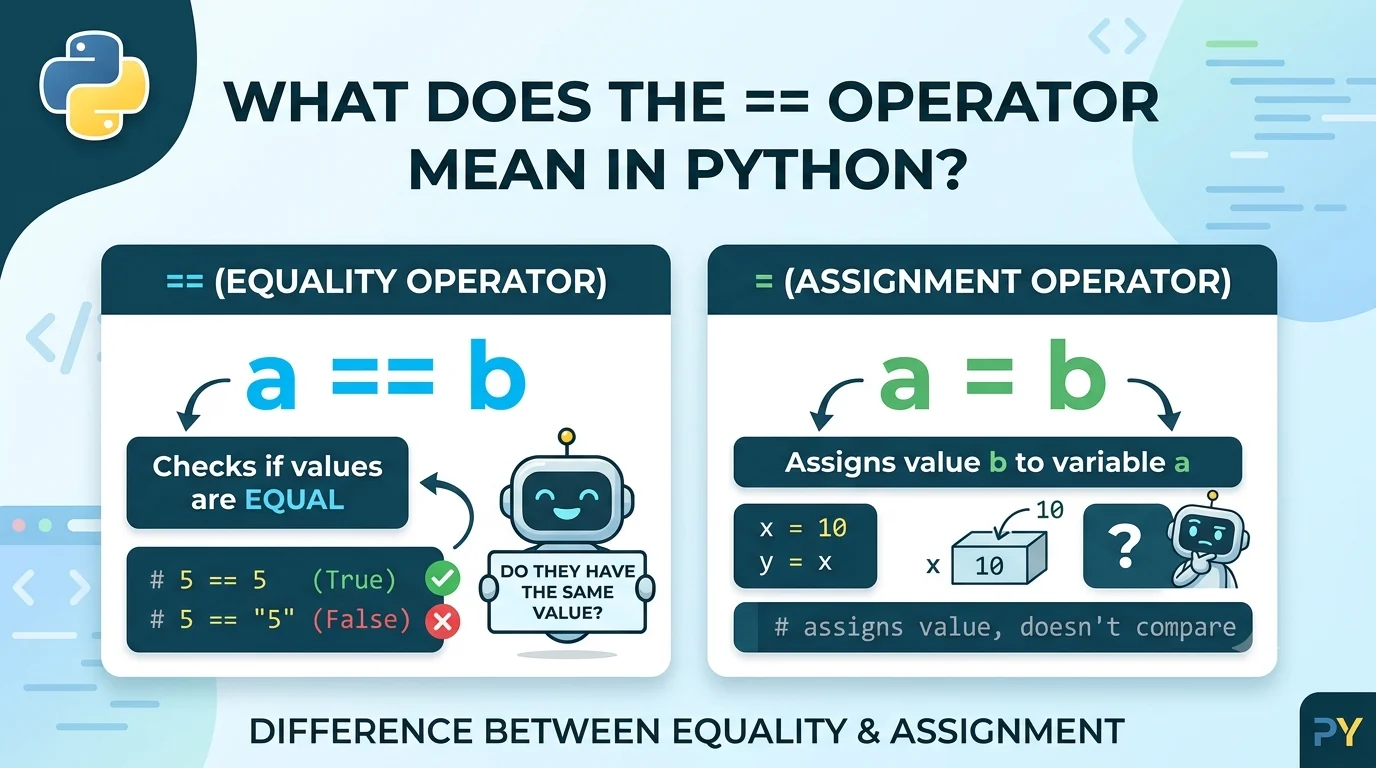
Quick Defination: You may come across == in Python and wonder why programmers use two equal signs instead of one. In Python, == is the equality comparison operator, and it checks whether two values are equal. The expression 5 == 5 evaluates to True, while 5 == 3 evaluates to False. This is different from =, which assigns a value to a variable. Understanding the difference between these operators is essential because confusing them can cause errors or unexpected behavior in your programs. Below, you’ll see how == works with numbers, strings, variables, Boolean values, objects, and conditional statements.
In Python, == means “is equal to” and compares two values to determine whether they are equal. The result of the comparison is a Boolean value: either True or False.
For example:
10 == 10
The result is:
True
But:
10 == 7
produces:
False
The operator is commonly used in if statements, loops, functions, and other situations where your program needs to make a decision.
| Detail | Explanation |
| Operator | == |
| Name | Equality operator |
| Purpose | Compares two values |
| Result | True or False |
| Common Use | Conditions and comparisons |
How The Python Equality Operator Works
The == operator compares the values on its left and right sides.
For example:
age = 18
print(age == 18)
Output:
True
Here, age contains the value 18, so the comparison asks:
“Is the value stored in age equal to 18?”
Because the answer is yes, Python returns True.
If you change the comparison:
print(age == 21)
the result becomes:
False
This makes == particularly useful when your program needs to check whether something meets a particular condition.
What Is The Difference Between = And == In Python?
One of the most common mistakes for beginners is confusing = with ==.
= assigns a value, while == compares two values.
For example:
name = “Alex”
The single equal sign assigns “Alex” to the variable name.
Now consider:
name == “Alex”
This asks whether the value of name is equal to “Alex”.
The result is:
True
You can think of the difference this way:
- = → “Store this value.”
- == → “Are these values equal?”
For example:
score = 100
print(score == 100)
The first line assigns 100 to score. The second line checks whether score equals 100.
Why Do You Use == In An If Statement?
The == operator is frequently used in conditional statements because if needs a condition that evaluates to True or False.
For example:
password = “python123”
if password == “python123”:
print(“Access granted”)
Python compares the value stored in password with “python123”.
Because they are equal, the condition is True, so the message is displayed.
You can also compare numbers:
temperature = 20
if temperature == 20:
print(“The temperature is exactly 20 degrees.”)
The comparison succeeds because both values are equal.
Examples Of == With Numbers
The equality operator works with integers and floating-point numbers.
5 == 5
Result:
True
5 == 8
Result:
False
You can also compare arithmetic expressions:
3 + 2 == 5
Result:
True
Python evaluates the expression before performing the comparison.
Another example is:
10 * 2 == 20
This also returns True.
Keep in mind that floating-point calculations can sometimes produce surprising results because of how decimal numbers are represented internally. For calculations requiring precise decimal comparisons, blindly using == may not always be appropriate.
Examples Of == With Strings
You can use == to compare strings as well.
“hello” == “hello”
Result:
True
But:
“hello” == “Hello”
returns:
False
Python string comparisons are case-sensitive, so uppercase and lowercase letters matter.
For example:
username = “Alex”
if username == “Alex”:
print(“Welcome!”)
The condition evaluates to True.
This is useful when checking names, commands, categories, responses, and other text values.
What Does == Mean With Boolean Values?
Python also allows you to compare Boolean values using ==.
For example:
True == True
returns:
True
And:
True == False
returns:
False
However, you often do not need to explicitly compare a Boolean with True.
Instead of:
if is_logged_in == True:
print(“Welcome”)
you can usually write:
if is_logged_in:
print(“Welcome”)
The second version is simpler and more idiomatic Python.
How Context Changes The Meaning Of ==
The basic meaning of == does not change, but what it compares depends on the values involved.
Comparing Numbers
7 == 7
Python checks whether the numbers are equal.
Comparing Strings
“cat” == “cat”
Python checks whether the strings have equal values.
Comparing Variables
a = 10
b = 10
a == b
The result is True because both variables contain equal values.
Comparing Collections
Python can also compare lists:
[1, 2, 3] == [1, 2, 3]
This returns True.
But:
[1, 2, 3] == [3, 2, 1]
returns False because the lists have different ordering.
Real Python Examples
Example 1: Checking A User’s Age
age = 21
if age == 21:
print(“You are 21.”)
Meaning: Python checks whether age has the value 21.
Example 2: Checking A Command
command = “start”
if command == “start”:
print(“Starting program…”)
Meaning: The program checks whether the user entered the expected command.
Example 3: Comparing Two Variables
x = 50
y = 50
if x == y:
print(“The values are equal.”)
Meaning: Python compares the values stored in x and y.
Is == The Same As “Equals” In Python?
Yes. In ordinary Python comparisons, == can be read as “is equal to” or simply “equals.”
For example:
12 == 12
can be read as:
“Is 12 equal to 12?”
The answer is True.
However, == does not mean that two variables are necessarily the same object in memory. That distinction is important when comparing objects.
== vs. is In Python
Beginners sometimes confuse == with is, but they serve different purposes.
== checks equality of values, while is checks object identity.
For example:
a = [1, 2, 3]
b = [1, 2, 3]
print(a == b)
This returns:
True
The lists contain equal values.
But:
print(a is b)
normally returns:
False
because a and b refer to different list objects.
A useful rule is:
- Use == when you want to know whether values are equal.
- Use is when you need to know whether two references point to the same object.
A common Python pattern is:
if value is None:
…
Here, is is conventionally used to check identity with the singleton None.
Does == Work With Different Data Types?
Python allows comparisons between many different types, but the result depends on the types and their comparison behavior.
For example:
5 == 5.0
returns:
True
because Python considers the integer 5 and floating-point value 5.0 equal in this comparison.
But:
5 == “5”
returns:
False
because the integer 5 and the string “5” are different values and types.
This is an important distinction when working with data received from users, files, APIs, or databases.
When To Use ==
Use == whenever your program needs to compare values for equality.
Common situations include:
- Checking user input
- Comparing numbers
- Comparing strings
- Testing conditions
- Checking list or collection contents
- Writing if statements
- Testing expected results
- Comparing values returned by functions
For example:
answer = input(“Continue? “)
if answer == “yes”:
print(“Continuing…”)
The equality operator lets the program determine whether the user’s response matches “yes”.
When Not To Use ==
Do not use == when you actually need to assign a value.
For assignment, use:
score = 100
not:
score == 100
The second expression performs a comparison instead of storing a value.
Likewise, do not automatically use == when checking whether two variables refer to the exact same object. In those cases, is may be appropriate.
Understanding whether you want assignment, value equality, or object identity prevents many common programming mistakes.
Common Mistakes With ==
| Common Mistake | Correct Understanding |
| Using = when you want to compare values | Use == for equality comparisons. |
| Assuming == checks object identity | == compares values; is checks identity. |
| Assuming “5” equals 5 | A string containing “5” and the integer 5 are different values. |
Another mistake is forgetting that string comparisons are case-sensitive:
“Python” == “python”
returns:
False
The capitalization differs.
Similar Python Comparison Operators
| Operator | Meaning | Example |
| == | Equal to | 5 == 5 |
| != | Not equal to | 5 != 3 |
| > | Greater than | 5 > 3 |
| < | Less than | 3 < 5 |
| >= | Greater than or equal to | 5 >= 5 |
| <= | Less than or equal to | 3 <= 5 |
These operators are commonly combined in conditions.
For example:
age = 20
if age >= 18:
print(“Adult”)
Here, >= checks whether the value is greater than or equal to 18.
Can == Be Used In Chained Comparisons?
Yes. Python supports chained comparisons, which can make certain conditions easier to read.
For example:
5 < 10 < 20
evaluates to:
True
You can also use equality in a chain:
1 == 1 == 1
This evaluates to True.
Python interprets chained comparisons in a way that is generally equivalent to checking each neighboring comparison.
For most beginners, the key point is that == remains an equality comparison even when it appears alongside other comparison operators.
A Note About Lists, Arrays, And Other Objects
The behavior of == depends on the object being compared because Python objects can define their own equality behavior.
For built-in types such as strings, numbers, and lists, == generally compares their contents or values.
For example:
[1, 2] == [1, 2]
returns True.
Some third-party data structures, such as numerical arrays, can behave differently. For example, an array comparison may produce multiple Boolean results rather than one simple True or False. This is one reason it is useful to understand what type of object you are comparing.
Quick Recap
- == is Python’s equality comparison operator.
- It checks whether two values are equal.
- Its result is normally True or False.
- = assigns a value, while == compares values.
- == and is are different: equality is not the same as object identity.
- It is commonly used with numbers, strings, variables, lists, and conditional statements.
Frequently Asked Questions
What does == mean in Python?
In Python, == is the equality operator that checks whether two values are equal and returns a Boolean result.
What is the difference between = and == in Python?
= assigns a value to a variable, while == compares two values to determine whether they are equal.
Is == the same as equals in Python?
Yes, == generally means “is equal to” and compares values rather than assigning or checking object identity.
What is the difference between == and is?
== compares values for equality, while is checks whether two references point to the same object.
Does == return True or False in Python?
A standard == comparison returns a Boolean True or False, although specialized objects can implement different comparison behavior.
Final Thoughts
The answer to what does == mean in Python is straightforward: it is the equality operator, used to check whether two values are equal. You will frequently see it in if statements, loops, tests, and everyday Python code. The most important distinction to remember is that == compares values, while = assigns values and is checks object identity. Once you understand that difference, expressions such as age == 18, name == “Alex”, and x == y become much easier to read and write correctly.
Read More Articles About
- What Does Hyung Mean In Korean Text And Conversation? Full Guide For 2026
- What Does + Mean In Betting? Meaning, Payouts, And Winning Strategies For 2026
- What Does POD Mean In Banking? How Payable On Death Accounts Work In 2026
- What Does Harmony Mean In Interior Design? Why It Matters And How To Use It In 2026